
Personalized product artwork automation
A reusable design.
Artwork made for each buyer.
Product → design scheme → canvas → layer → image and text slots. Define what the product needs once, match the buyer’s choices and generate high-resolution production artwork for review.
01 / Design scheme
Product and design versions
A product can have several schemes, but production uses one currently published scheme. Save drafts while configuring; publish only after checking. Saving a draft does not activate it. Previous published versions remain separate from the working draft.
02 / Design scheme
Production canvases and dimensions
A scheme can contain several canvases for different product sizes or styles. Set the real raster dimensions and production layout for each canvas. Explicit condition bindings can select one or more canvases for an order; this can produce several files.
03 / Design scheme
Base artwork, decoration and layers
Arrange base artwork, decoration, buyer content, overlays and text in the intended production order. A reference layer helps configuration; it is not automatically a production element. Confirm what is actually included in the generated file.
04 / Design scheme
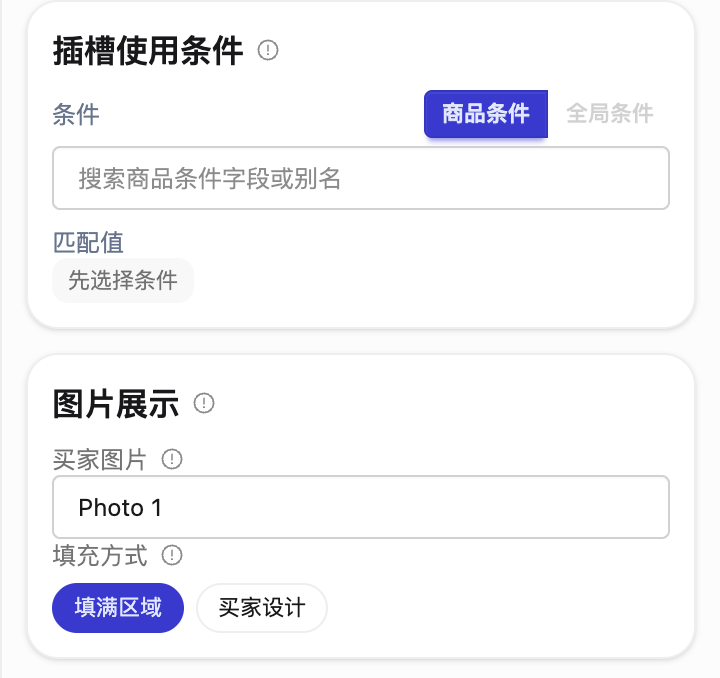
Image slots: source and display
Choose which buyer photo supplies each slot, then configure the region, dimensions, shape, angle and crop. Filling a region proportionally is different from preserving the buyer’s original placement. Multiple positions can share a photo while retaining their own sizes and outlines. Usage conditions decide when a slot applies; they are not the photo source.
05 / Design scheme
Text slots: content and typography
Names, dates and messages have independent content sources and text regions. Configure the font, size, color, wrapping and alignment for the product. Text does not inherit photo cropping or change with an AI edit. Check long names and multi-line messages.
06 / Design scheme
Optional AI inside image slots
Analyze the photo, form a photo-specific instruction, edit once and refill the image slot. Select the required treatment and compatible vision/editing models. AI prepares material; it does not replace your production dimensions or typography.
Configure your AI service →07 / Design scheme
Bind conditions, publish and test an order
Conditions recognize original customization names and options. Bind the specific condition/group/item to the relevant canvas, layer or slot action, publish the scheme and test a representative order. Check selected variants, dimensions, photos, text and every output before production.
Uploaded fonts, available without local installation
Upload fonts in Font Management. The designer automatically loads only fonts used by the current canvas; switching canvases loads newly required fonts. Loading feedback appears above the bottom font control and closes on completion. Missing tenant fonts and download failures have separate messages and a recheck or retry action.
Downloaded font files are cached in this browser and reused while the tenant font version remains unchanged. Updates download a new version. Changing browsers or clearing site data requires loading again. A locally installed font is not evidence that the production service has the font; temporary fallback rendering does not change the saved family or text frame.
Create from an image, PSD or dimensions
Image-based creation uses original pixel dimensions. PSD import keeps groups and converts supported simple text to editable text slots; complex text effects may remain raster images. Check dimensions, font availability and content sources after import. The last canvas can also be deleted after a warning; the editor returns to creation state and requires a new canvas before saving or publishing.
Groups, visibility and solo viewing
Use the layer tree to rename, reorder, group, hide or lock content. Option on macOS or Alt on Windows plus an eye click isolates a layer, group or element; repeat on the same target to restore previous visibility. Switching targets retains the original snapshot. Element isolation opens necessary ancestors, while group isolation preserves individually hidden members. Restore temporary visibility before saving.
Generated artwork and order requirements
Compare the result, not just the configuration.
These product and flat-design illustrations show why preview and production artwork serve different purposes. They are not screenshots of an English workbench.
Order snapshot · preview
Production artwork · check details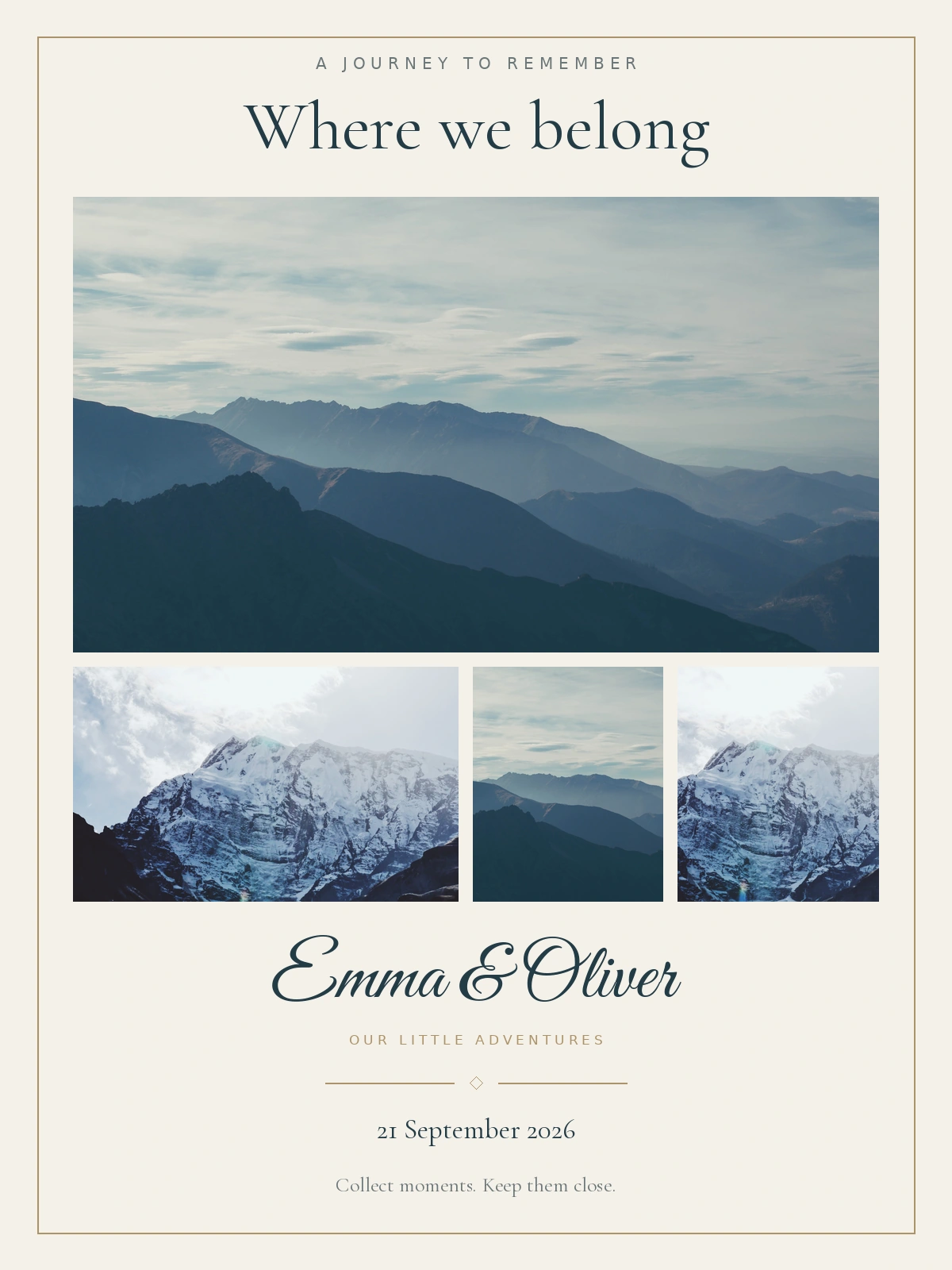
See the design settings in context
The screenshots retain the Chinese interface. Read them alongside the English explanations: scheme versions, canvases and layers define the structure; image and text slot properties control separate content regions.
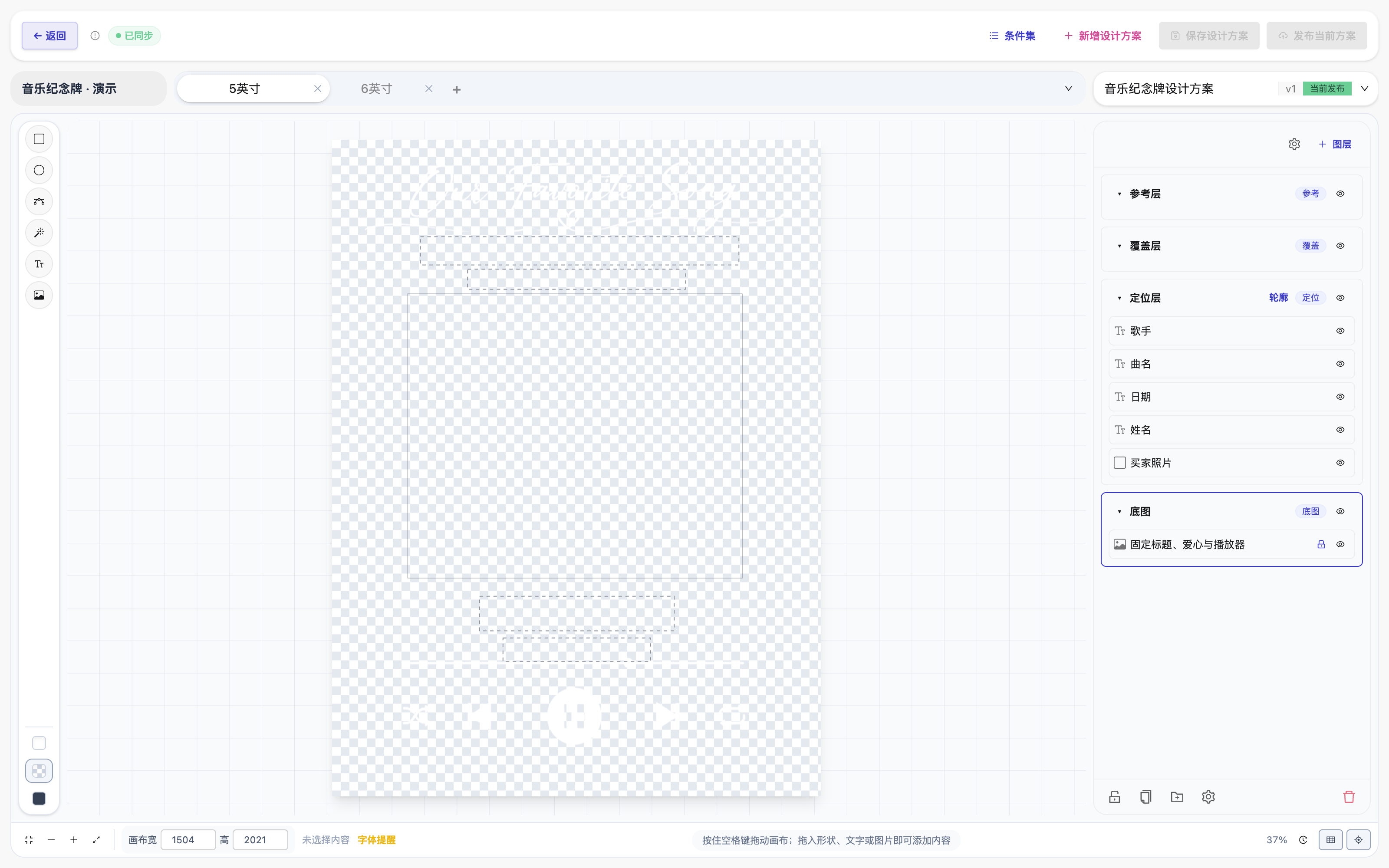
Photo source, text layout and optional AI
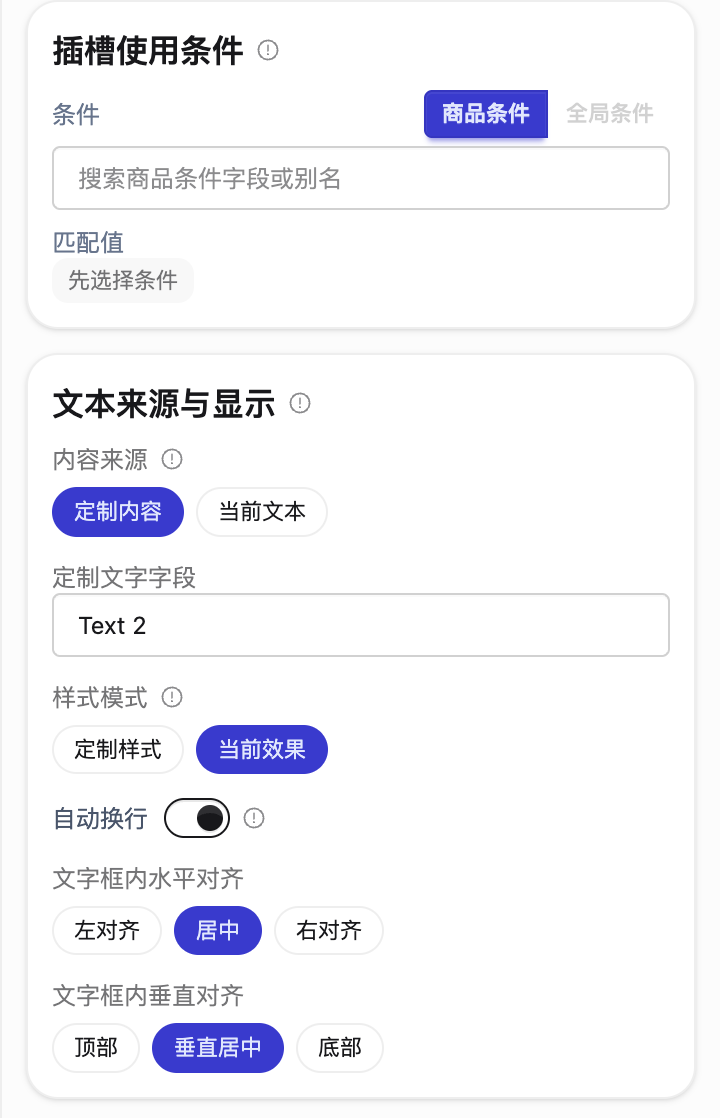
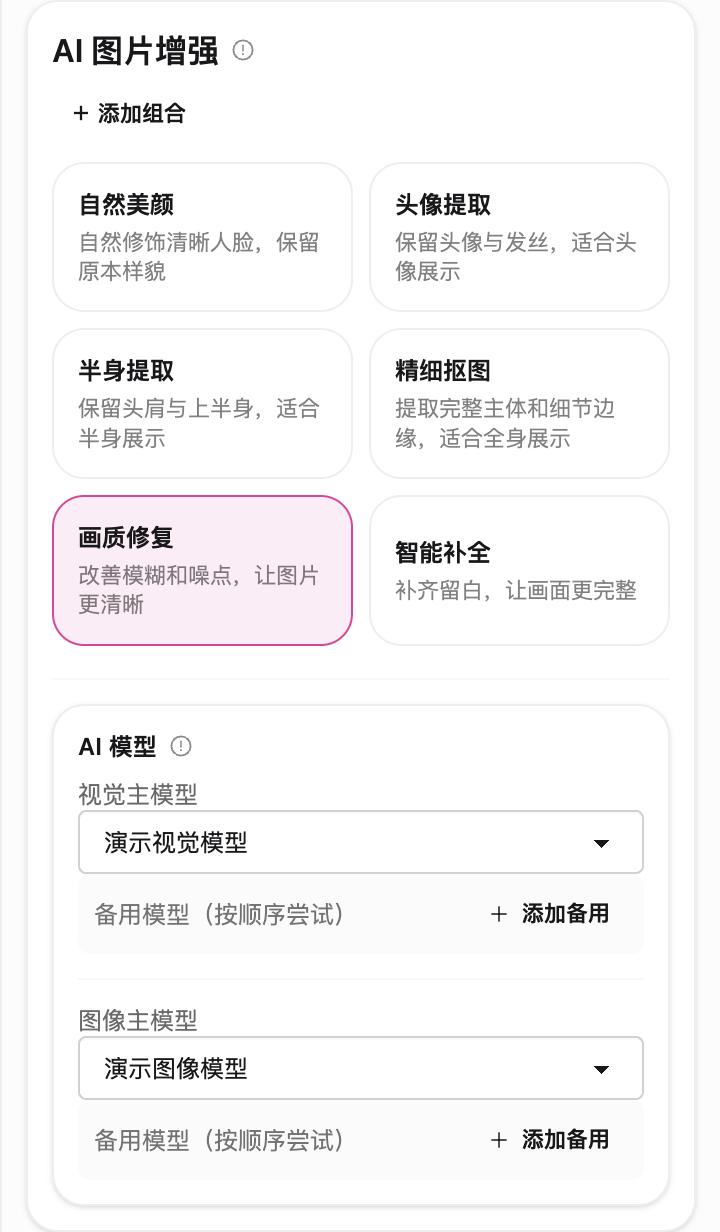
Choose the photo source independently of slot conditions. Text has its own source, wrapping and alignment. AI treatment prepares the photo and does not set production dimensions.