
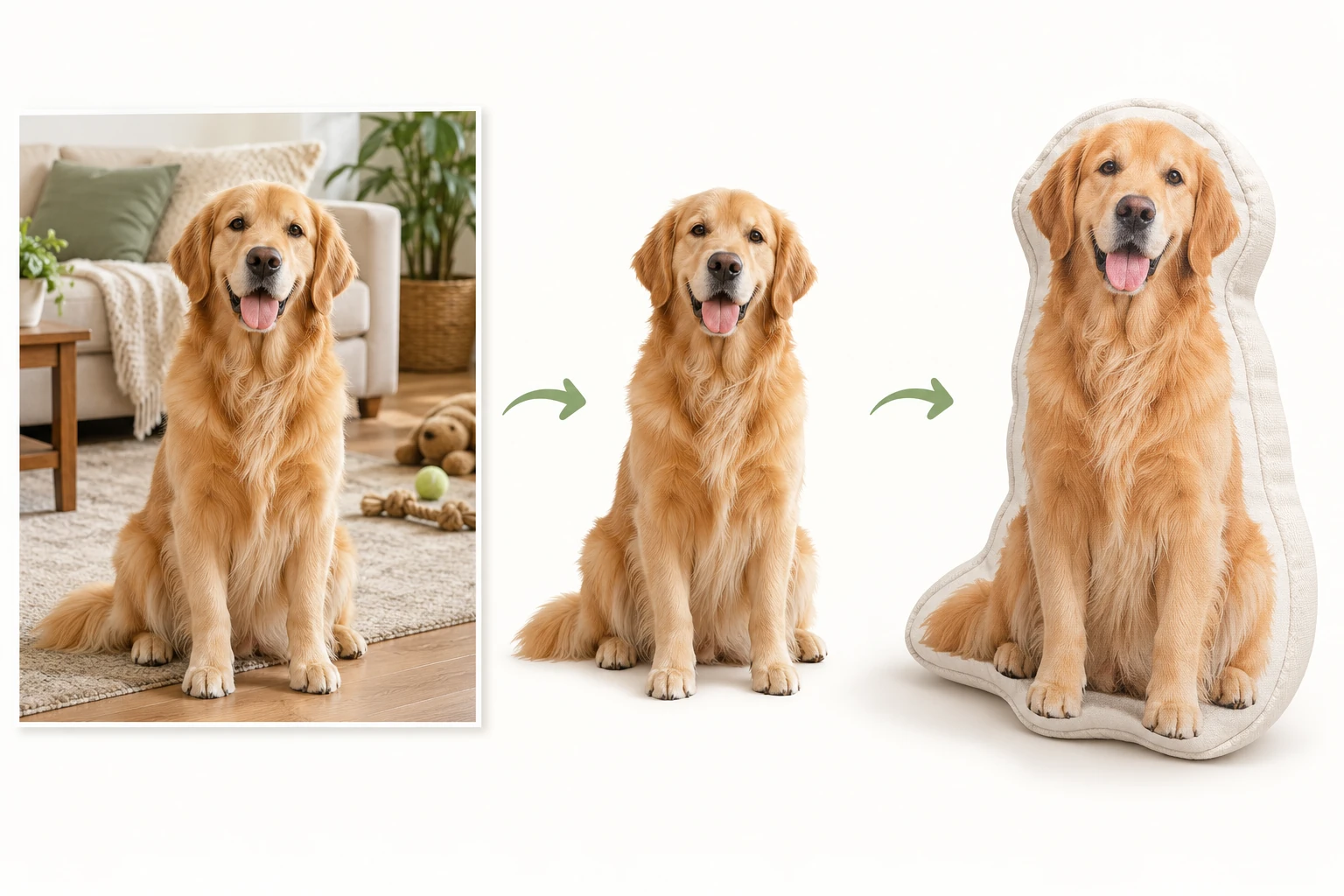
Isolate the person or pet
Select the required subject area when placing a photo against another design background.
What to check
Check hair, clothing, subject edges and transparency.
AI photo processing for personalized products
Isolate people or pets, retouch naturally, restore photo quality or extend the image as needed. Configure the treatment in the product design scheme; XERP understands each photo, edits it and fills the result into its assigned position—without switching image tools for every order.
Select the treatment and get started, or connect compatible AI services and models of your own.
Start with the photo
Photo processing and product layout are separate. Apply AI only to the chosen image material.
Select the required subject area when placing a photo against another design background.
Check hair, clothing, subject edges and transparency.
Refine appropriate portrait details without changing identity or trying to replace the face.
Check the expression and recognizable natural features.
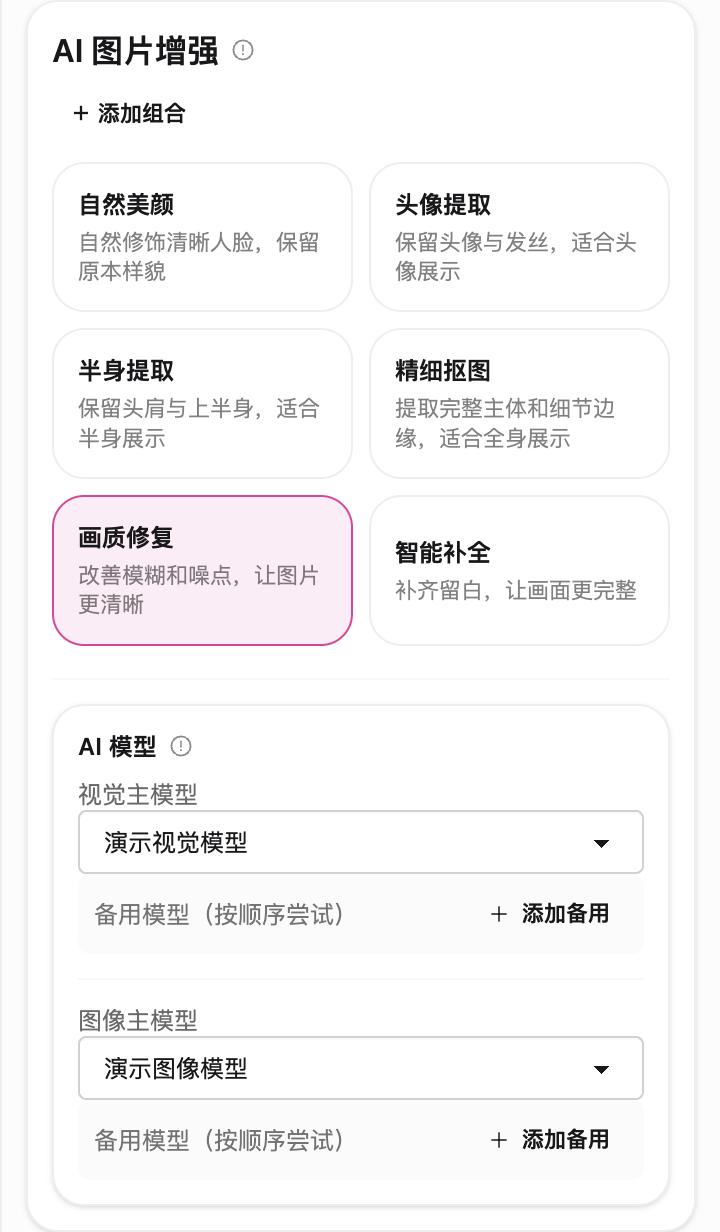
Improve detail where possible. Results depend on the input and cannot guarantee recovery of information absent from the original.
Check faces, texture and edges; do not assume invented detail is real.
Use expansion when the layout needs additional image area. Available combinations follow the actual configuration options.
Choose the photo treatment for your product
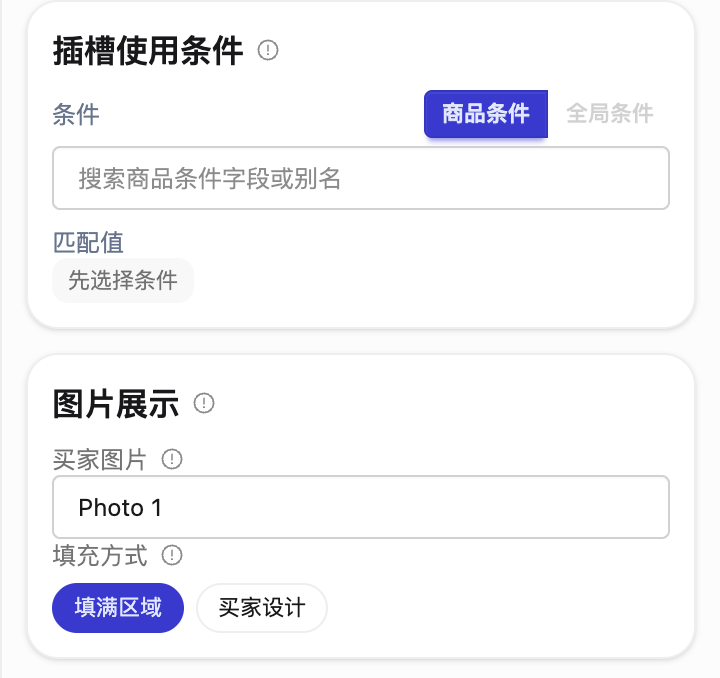
Choose where buyer photos go in the product design, then select the required isolation, retouching, restoration or expansion. New orders follow those settings. Built-in models are ready to select; custom connections are optional.
Choose the buyer photo for each photo area. Fill the region with proportional cropping, or keep the size, angle and position from the buyer’s design. One photo can also be used in several positions.
Isolate a person or pet where the product needs the subject alone. Restore unclear detail, expand a photo that needs more image area, or retouch a portrait naturally. Available combinations follow the controls; isolated subjects can also use a configured outline.
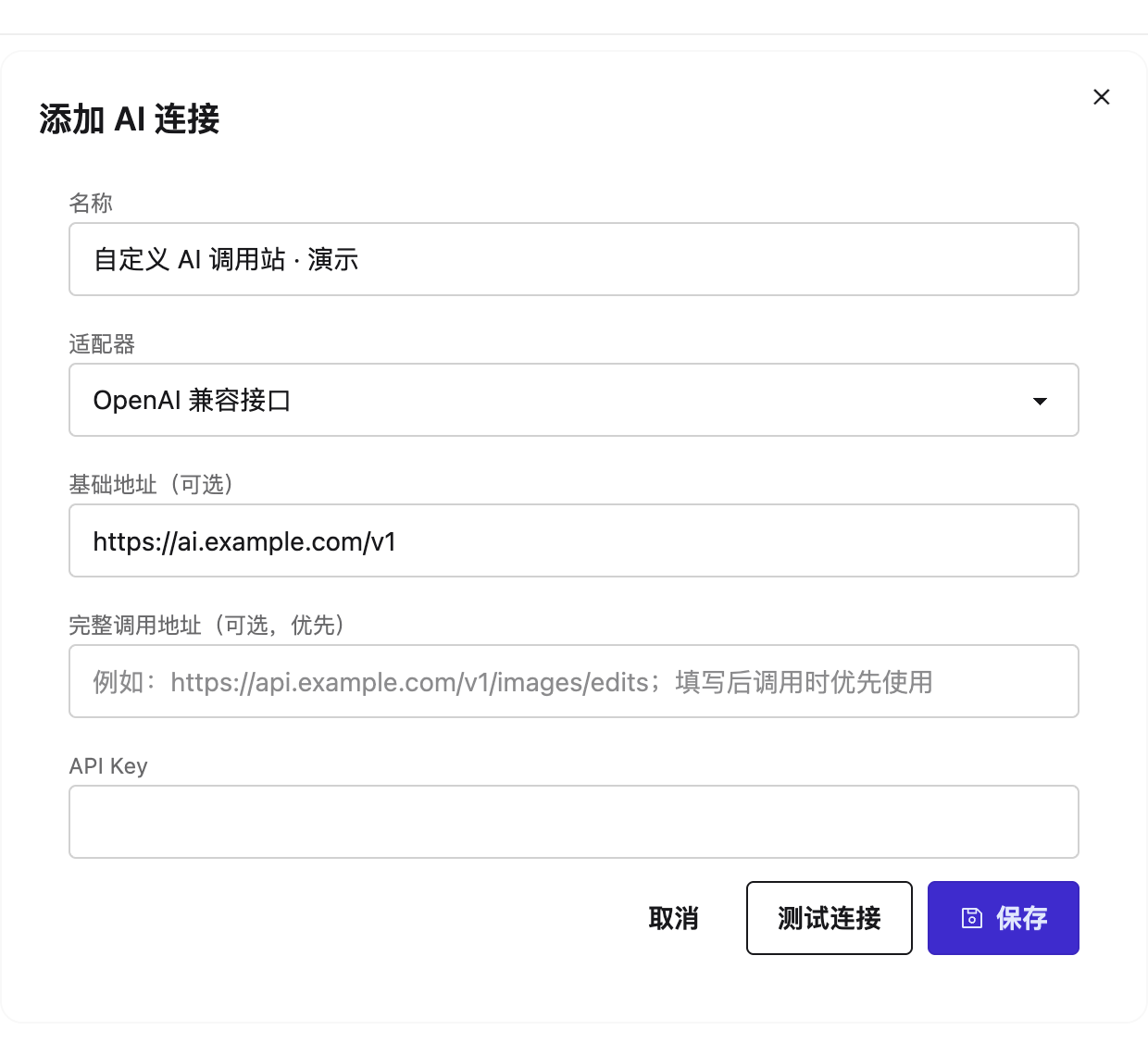
Select an available built-in model without entering an endpoint or key. If you have your own AI service, add the connection and choose models and fallback order. Keep product requirements configured and inspect the result with either service; confirm AI costs separately.
A photo-specific execution flow
The vision model reads this photo and the slot requirements. The editing model receives a tailored instruction, and the result returns to the selected position. Production dimensions and text layout remain controlled by the scheme.
Identify its content and the product’s actual needs.
Combine photo-specific guidance with configured effects.
Process the image and return the result to its slot.
Inspect identity, edges, crop, text and product layout.
AI results vary. If processing fails or is unsuitable, retain or restore the original and review manually. Confirm AI usage costs separately from artwork delivery charges.
Read pricing and cost boundaries →