Documentation / Rule matching

Connect buyer choices with the right production layout.

Customization names and options vary across countries, languages, cultures and units. Explicit rules recognize equivalent business choices without changing the original order data.

01 / Guide

Why names and choices need explicit rules

Countries, languages, cultures and measurement units can express similar product choices differently. Rules connect those original expressions to shared business choices; they do not translate automatically or silently convert units. Original order content stays intact.
Size rule groups with explicitly configured equivalent options
Interface shown in Chinese. The English explanation describes the same controls and workflow.

02 / Guide

Configure names, groups and items

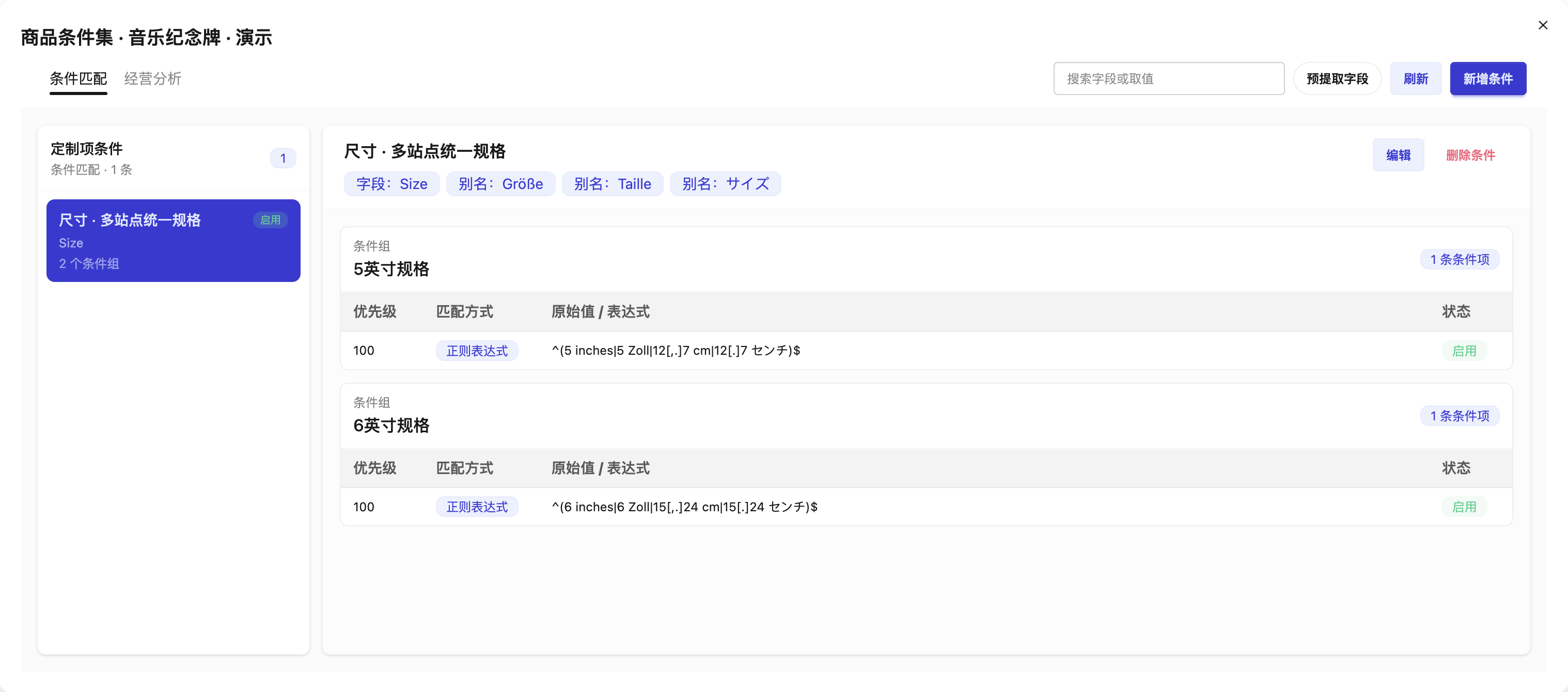
For a Size question, add the original names or aliases, then groups such as a five-inch or six-inch specification. Configure equivalent options inside the appropriate group, for example 6 inches, 6 Zoll and 15.24 cm. These are demonstration choices, not a preset for every product.

Size rule groups with explicitly configured equivalent options
Interface shown in Chinese. The English explanation describes the same controls and workflow.

03 / Guide

Bind the rule to a design action

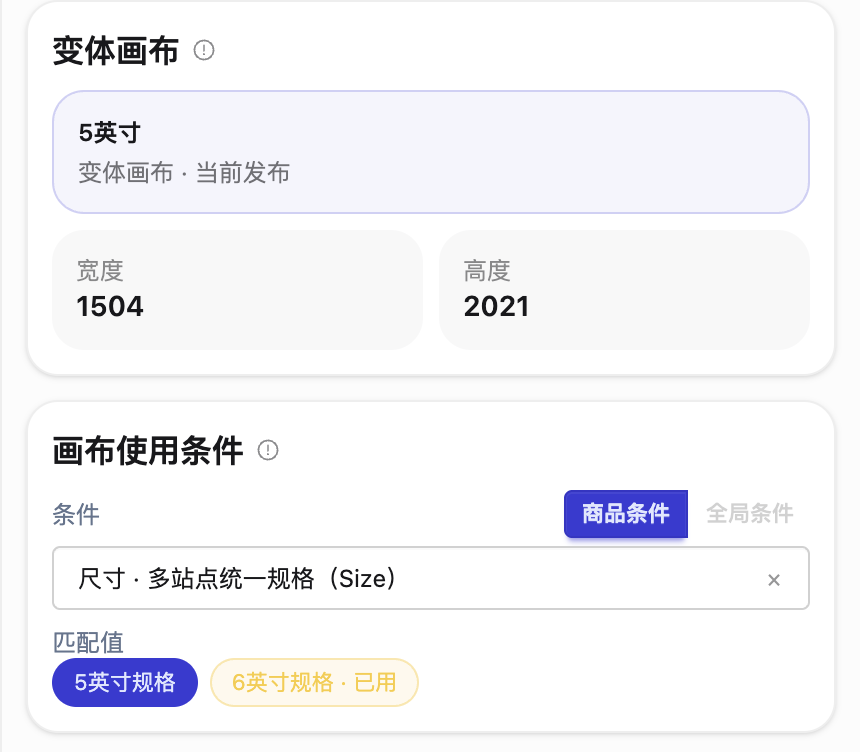
Choose the actual rule and group/item in the intended canvas, layer or slot. Rules select content; the scheme controls size, positioning and typography. Creating a rule is not activation: publish and test the bound scheme. Global/product scope is management scope, not automatic use by all products.

A canvas bound to a configured size rule
Interface shown in Chinese. The English explanation describes the same controls and workflow.

04 / Guide

Test equality, patterns and priority

Production recognition uses exact equality, regular expressions and containment with configured priorities. Use literal decimal points in patterns and test the original buyer choice. Do not let a broad pattern select another size by accident.

05 / Guide

Select original or AI-treated material by condition

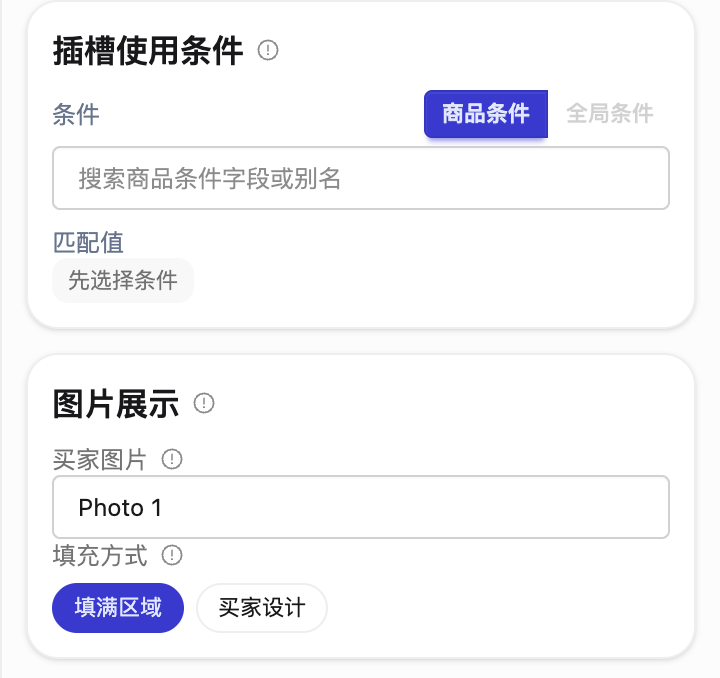
Where a product uses two image slots at the same position, their explicit conditions can select the original photo or the AI-treated version. Photo source, display behavior and usage conditions are separate decisions. Confirm only the intended result enters production.

Photo source and image display properties
Interface shown in Chinese. The English explanation describes the same controls and workflow.

06 / Guide

Keep sales normalization separate

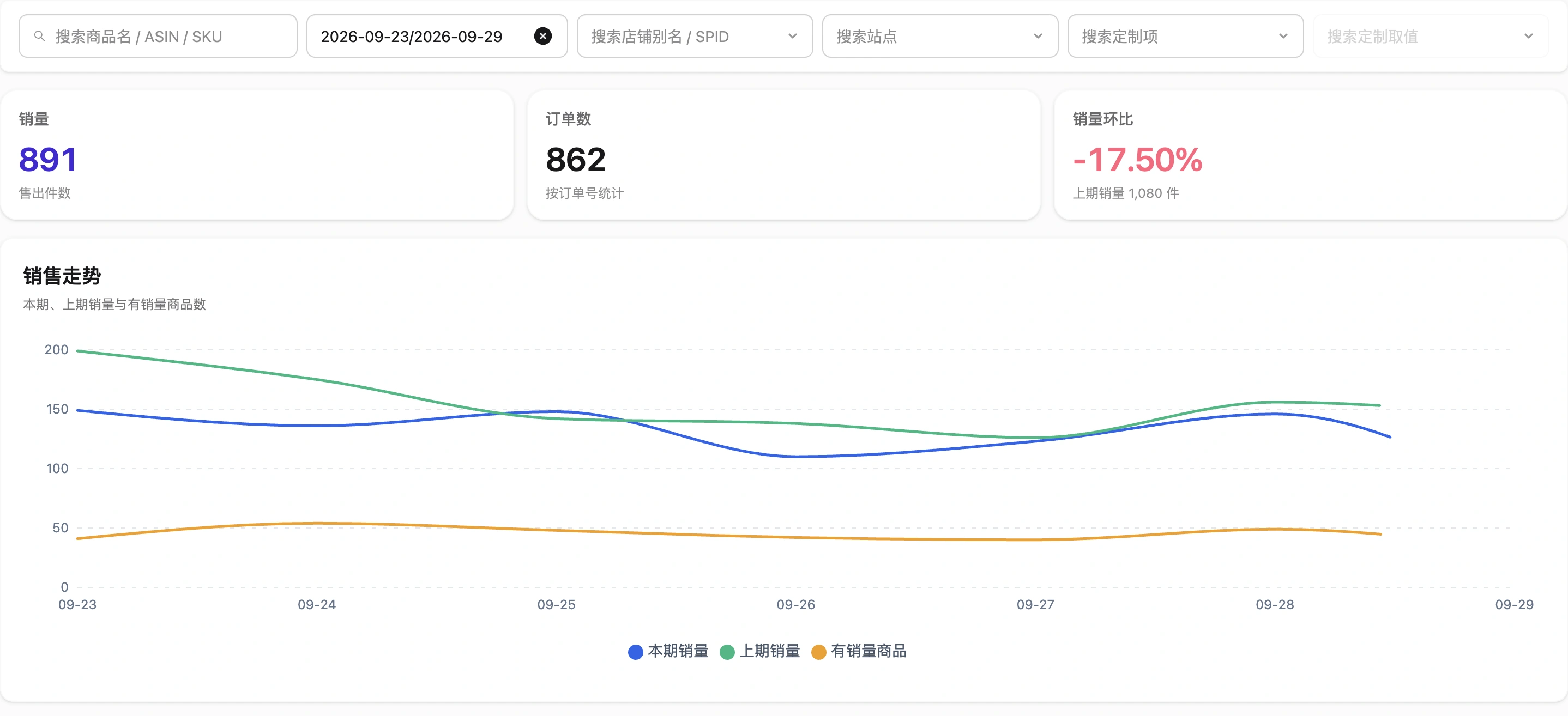
Sales analysis remains available for raw order customization without analysis rules. Optional exact-match analysis rules group equivalent business choices; they do not replace production bindings or change the artwork layout.

Sales metrics and trend within the selected scope
Interface shown in Chinese. The English explanation describes the same controls and workflow.