
Daily custom-order operations

Prepare the product once.
Keep daily orders moving.

Separate first-time product setup from daily work: receive orders, generate and inspect artwork, resolve problems, then organize production files and parcels.

First-time setup: create a production contract

Associate the product, configure size and style conditions, prepare canvases and content positions, then publish a checked design scheme. Saving a draft does not activate it. Validate the artwork with one complete order before a batch.

Prepare and publish a scheme →
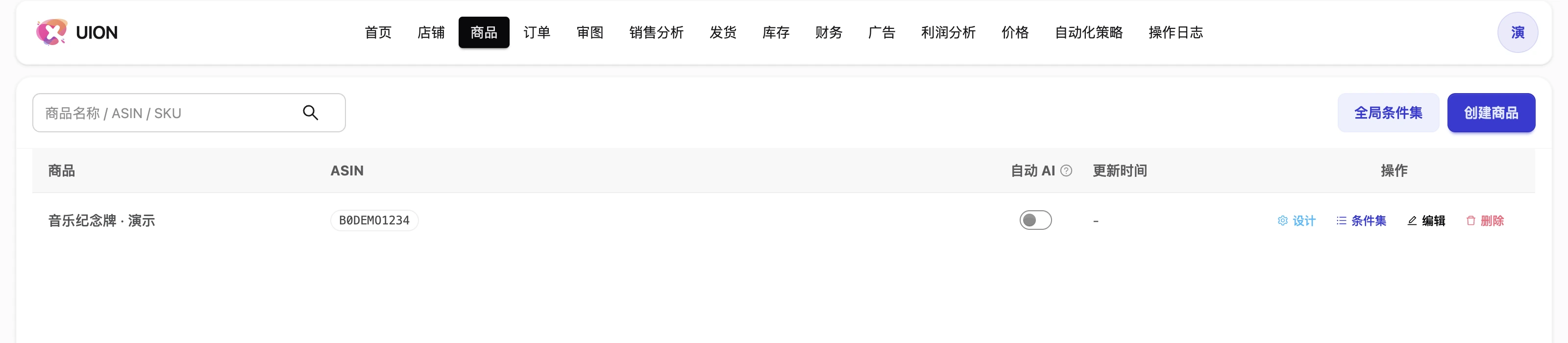
Products with ASIN associations and design actions
Products with ASIN associations and design actions. Interface shown in Chinese. Images illustrate the workflow, not a verified customer result.

Daily work: focus on orders that need attention

Process independently authorized seller accounts together while retaining account and marketplace attribution. Inspect missing material, generate from published settings and compare the result with buyer requirements.

Use local AI replacement, instructed complete rebuild or manual PNG upload when needed. Review the result and keep approved, usable-with-instructions and rework outcomes explicit.

How to resolve artwork problems →
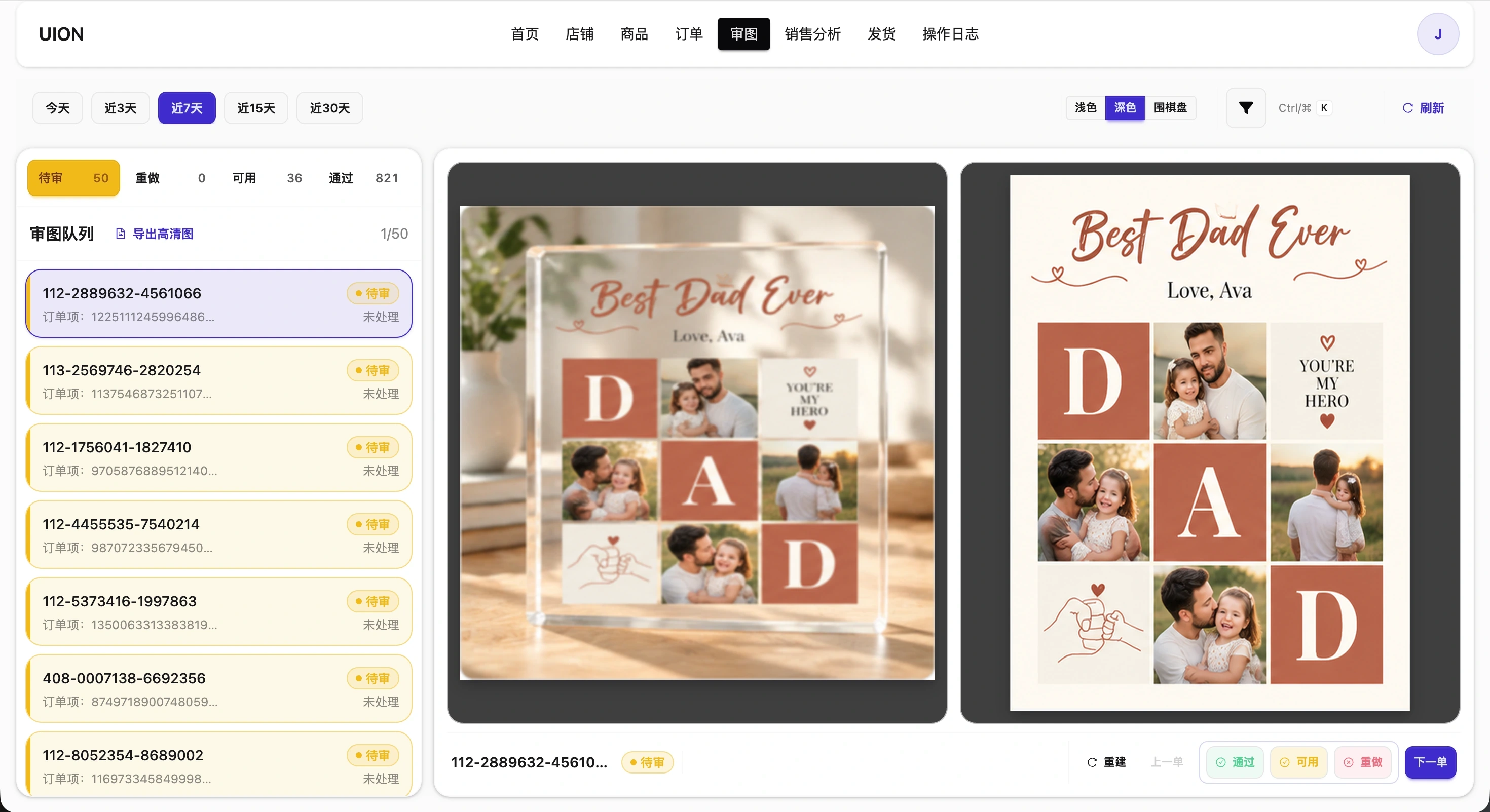
Artwork review queue and approval actions
Artwork review queue and approval actions. Interface shown in Chinese. Images illustrate the workflow, not a verified customer result.

Handoff: production numbers, files and parcels

Create a batch, assign production numbers and explicitly generate its ZIP. Check artwork and missing-item notes before download. The first high-resolution artwork download is settled per order; repeat downloads of settled orders do not repeat that charge.

Create actual parcels, check labels and follow tracking or returns. Production-file readiness and parcel dispatch are different states.

Read production and shipping steps →

Learn from what actually sold

Read order-based sales trends, product and ASIN contribution, and original customization choices. Optional normalization helps compare business choices without becoming a prerequisite for analysis.

Explore sales analysis →

Check whether your product fits →