Documentation / Sales analysis

See what sells and how customization choices change.

Filter by time, product, seller account, marketplace and customization choice. Read the trend first, then explore products, ASINs, options and SKUs.

01 / Guide

Select the scope before reading the result

Choose time, product, seller account, marketplace and customization choices. Account and marketplace remain analysis scope even when selecting a product. Read units sold, order counts and period-over-period change as different metrics.
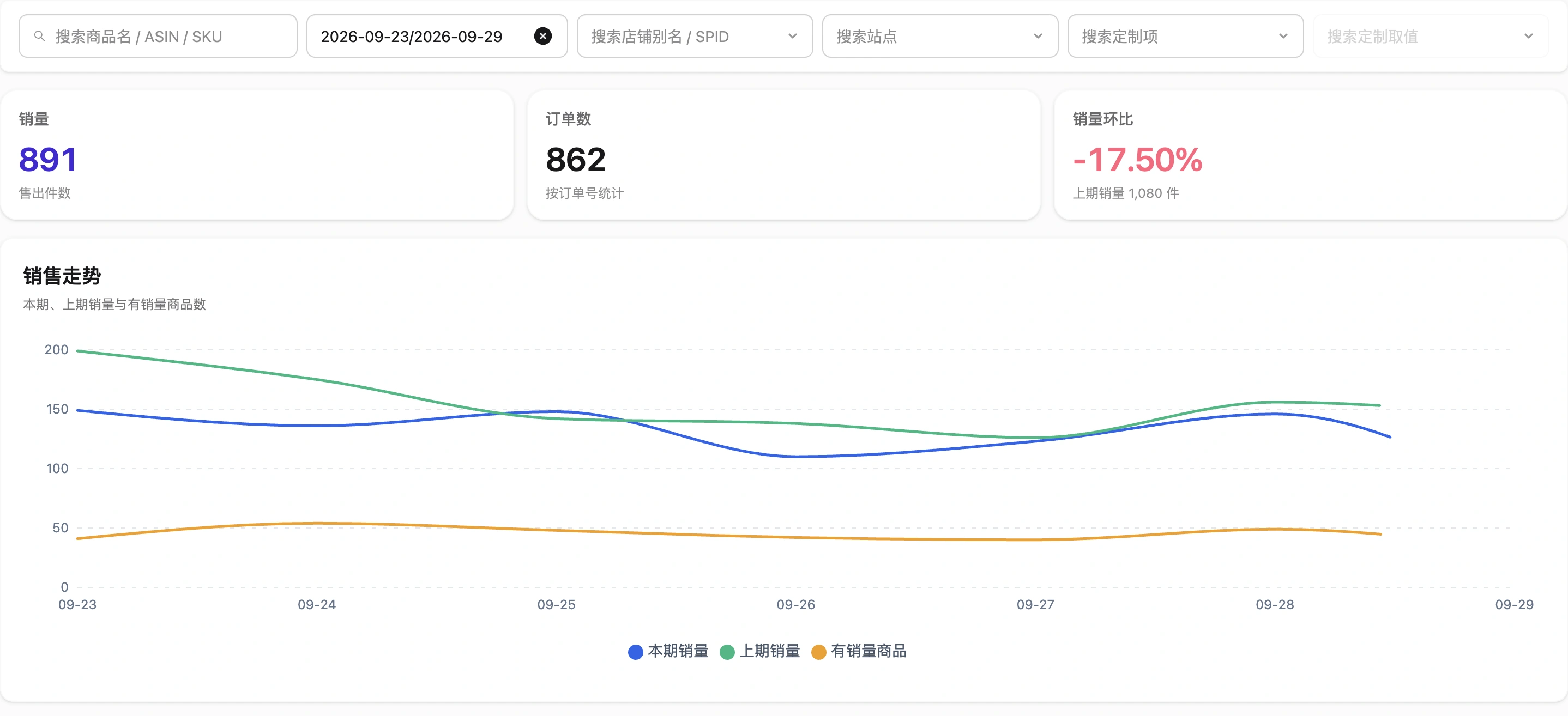
Sales metrics and trend within the selected scope
Interface shown in Chinese. The English explanation describes the same controls and workflow.

02 / Guide

Move from trend to product and ASIN

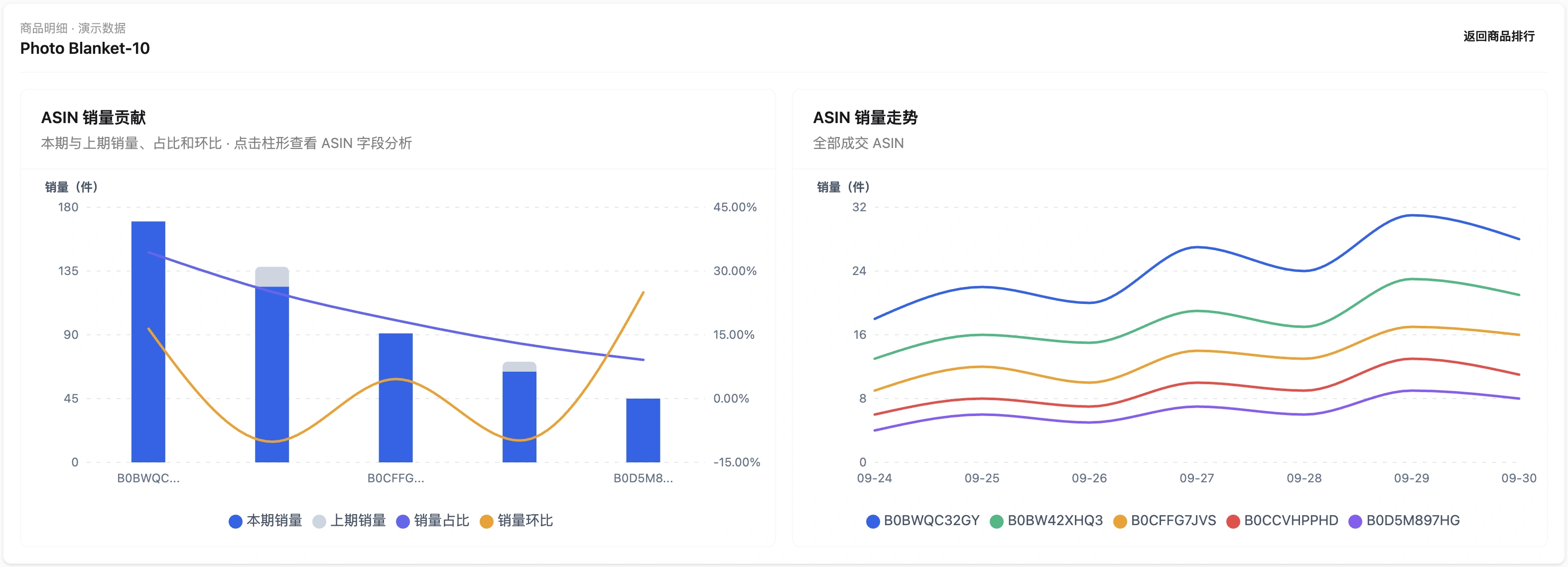
Read the overall trend first, then product ranking and ASIN detail. Use the selected period consistently and inspect SKU breakdowns only when needed to explain variants. A product ranking is not proof of profit or advertising performance.

ASIN sales contribution and daily unit trends
Interface shown in Chinese. The English explanation describes the same controls and workflow.

03 / Guide

Use buyer choices and order evidence

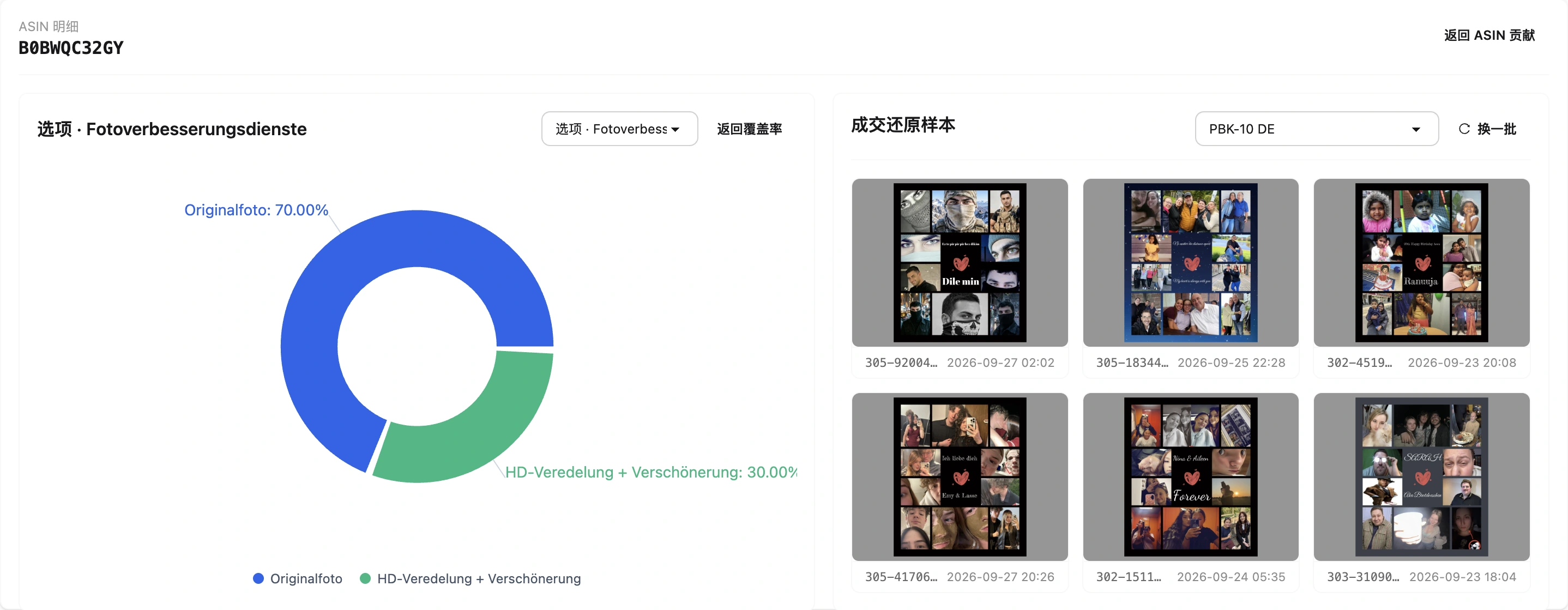
Inspect customization option proportions and order artwork samples to understand what actually sold. Original customization data can be analyzed without a rule library; optional normalization adds business categories without discarding original facts.

Customization option distribution and order artwork samples
Interface shown in Chinese. The English explanation describes the same controls and workflow.