
Amazon order CSV import

Import the order.
Keep the original details.

Export from Amazon Seller Central, arrange the data in the current XERP template and inspect the result. Order records, customization materials and recipient details require separate checks.

Orders → Import orders → Download template

Use the current template, map the source report to its columns and retain headers. Keep identifiers, postal codes and phone numbers as text so leading zeros and long values survive. Save CSV, select it from the import action and review feedback.

Keep order items separate. Do not merge all products in a multi-item order into one row.
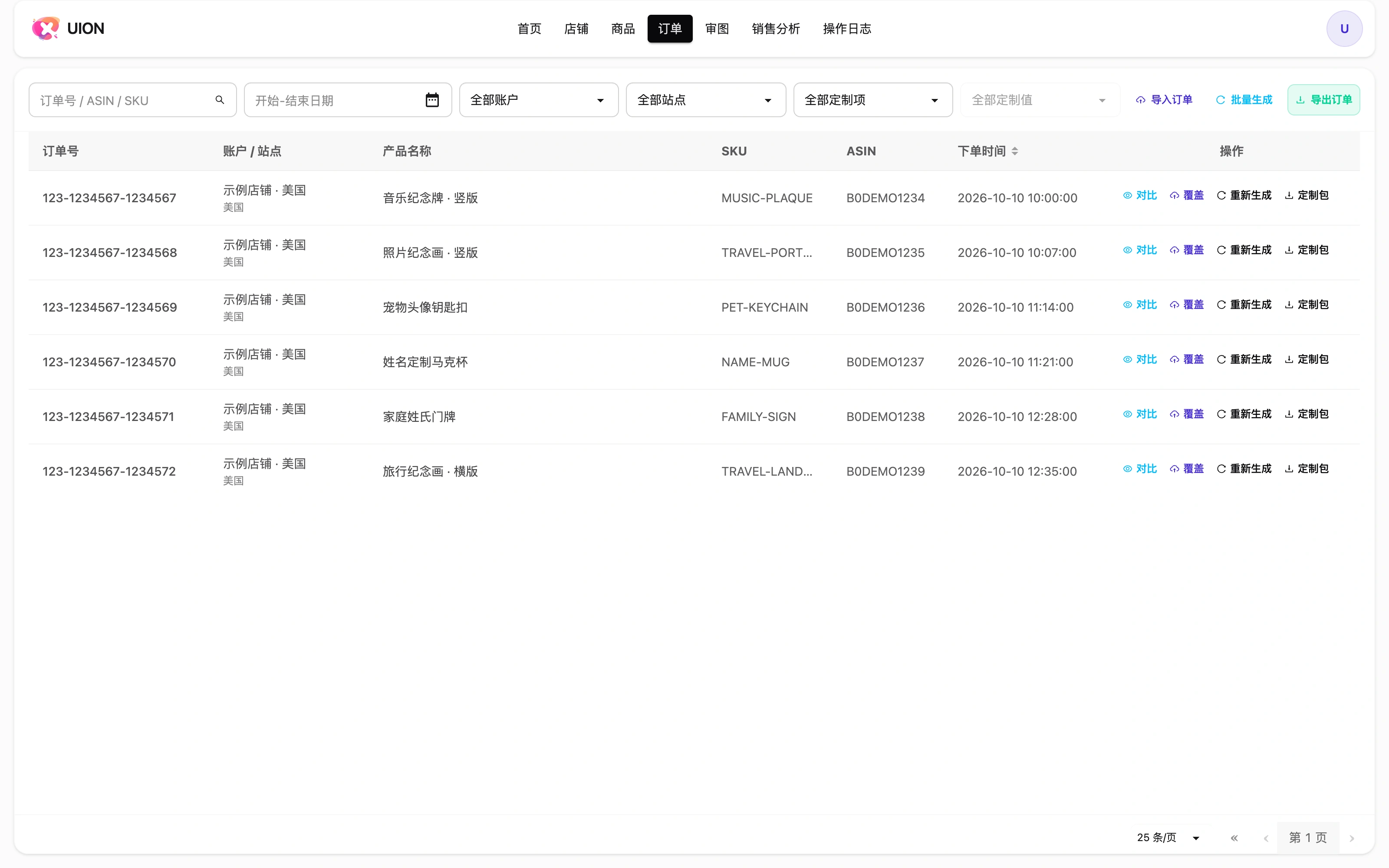
Order workspace: scope filters, order items and import actions
Interface shown in Chinese. The English explanation describes the same controls and workflow.

Check the columns and the material

Order and item facts

amazon-order-id, order-item-id, asin, seller-sku, purchase-date, quantity and order-status must correspond to the actual order.

Customization

customized-url points to the actual customization material. A low-resolution snapshot does not substitute for photos, text and buyer choices.

Optional recipient columns

Use recipient-name, phone, address-line1–3, city, county, district, state-or-region, postal-code and country-code as required by the current template. These may be empty at import; all-empty recipient details do not create an address record. Complete and check the required information before creating parcels.

Do not infer a shipping address from a customization ZIP, photo or message.

Inspect feedback before processing

Resolve invalid rows, check product associations and verify one representative order. Import does not by itself configure a product scheme or authorize an Amazon seller account.

Continue with the order workflow →